Process Automation Workflows: Transforming Your Business in 2026

 Are your teams drowning in repetitive tasks, struggling with manual data entry, and watching productivity suffer because of outdated manual processes? You’re not alone. Modern businesses are discovering that process automation workflows aren’t just a luxury—they’re essential for staying competitive.
The benefits of workflow automation extend far beyond simple time savings. When you automate workflows, you’re essentially replacing manual tasks with intelligent systems that eliminate human errors, improve customer satisfaction, and free up your team for high value tasks that actually drive business growth.
What Are Process Automation Workflows?
Process automation workflows are intelligent, structured workflows that guide your team through business processes using defined business rules and real-time decision-making. Unlike traditional manual tasks, these automated workflows adapt based on data, customer information, and specific business requirements.
Think of workflow automation as your business’s operating system. A robust workflow automation solution doesn’t just move documents around—it creates a flexible workflow that enables businesses to handle complex workflows with the same consistency and accuracy every time.
Modern workflow automation tools use machine learning and intelligent routing to optimize processes automatically. This means your automated processes get smarter over time, learning from patterns and improving process efficiency without constant manual adjustments.
The 5 Essential Process Automation Workflows Every Contact Center Needs
1. Intelligent Service Request Routing and Task Assignment
Manual processes for handling service requests create bottlenecks and inconsistent process outcomes. Workflow automation software transforms this chaos into a smooth operation that assigns tasks based on agent skills, workload, and customer priority.
Examples of workflow automation in routing include:
- Automated notifications that alert specialists when complex issues arrive
- Seamless integration with existing systems to pull customer history
- Performance metrics tracking that identifies routing efficiency
- Dynamic assigning tasks based on real-time agent availabilityKey Benefits: Companies implementing intelligent routing see 40% faster response times and 25% improvement in first-call resolution. The automation process eliminates guesswork while ensuring customer satisfaction remains high.
2. Streamlined Employee Onboarding Workflows
Traditional employee onboarding involves countless administrative tasks, manual data entry, and scattered approval processes. A well-designed onboarding process using workflow automation creates a consistent experience that gets new hires productive faster.
Automated workflow components include:
- Task management systems that track completion status
- Automated processes for equipment requests and access provisioning
- Human resources integration that updates employee records automatically
- Structured workflow for training assignments and progress trackingThe workflow process reduces onboarding time from weeks to days while ensuring nothing gets missed. Business users can easily customize workflows based on department needs or role requirements.
3. Intelligent Escalation and Approval Workflows
Complex business processes often require multiple approval levels, but manual processes create delays and confusion. Workflow automation solutions create clear escalation paths that address specific operational challenges while maintaining accountability.
Modern workflow software enables:
- Automated notifications when issues exceed time thresholds
- Expense approvals that route based on amount and department
- Procurement process automation with built-in compliance checks
- Invoice processing workflows that reduce data entry errorsBusiness process automationin escalations typically reduces resolution time by 50% while improving audit trails and compliance documentation.

4. Quality Assurance and Compliance Workflows
Robotic process automation and intelligent workflow management ensure that compliance requirements are built into every customer interaction. Instead of relying on manual intervention, automated workflows guide agents through required steps and documentation.
Workflow automation optimizes processes by:
- Validating required information before allowing process completion
- Generatingautomatic compliance documentation
- Automating tasks related to regulatory reporting
- Creating key performance indicators for quality monitoringProcess improvements from automated compliance include 70% fewer violations and significantly reduced audit preparation time.
5. Knowledge Management and Self-Service Workflows
Your contact center’s knowledge base becomes truly powerful when integrated into process automation workflows. Instead of agents hunting through documents, workflow automation lets them access contextual information instantly during customer interactions.
Workflow based knowledge systems provide:
- Dynamic information delivery based on customer issues
- Automated processes for updating and maintaining documentation
- Seamless integration with training systems and business process management
- Self-service options that reduce simple service requests## Understanding Workflow Automation: Beyond Simple Task Automation
To truly understand workflow automation, it’s important to recognize that modern solutions go far beyond basic task management. Today’s workflow automation tools create intelligent systems that optimize processes through continuous learning and adaptation.
Business process automation combines several key elements:
- Defined business rules that govern decision-making
- Machine learning capabilities that improve over time
- Flexible workflow design that adapts to changing requirements
- Performance metrics that provide insights into process efficiencyWhen you apply workflow automation strategically, you’re not just automating processes—you’re creating a foundation for scalable growth that maintains quality as your business expands.
Key Benefits of Implementing Workflow Automation
The key benefits of workflow automation extend across every aspect of business operations:
Operational Efficiency
-
Eliminating tedious tasks that drain productivity
-
Replacing manual tasks with automated processes
-
Streamlined processes that reduce cycle times
-
Process flow optimization that removes bottlenecks### Quality and Consistency
-
Reduced human error through automated workflows
-
Consistent process outcomes regardless of who handles the task
-
Built-in quality controls and validation steps
-
Structured workflow that ensures nothing gets missed### Scalability and Growth
-
Workflow automation solution that grows with your business
-
Custom workflows that adapt to changing requirements
-
More complex workflows become manageable through automation
-
Core processes remain stable during periods of rapid growth### Employee Satisfaction
-
Workplace automation eliminates frustrating routine tasks
-
Teams can focus on high value tasks and strategic work
-
Automated notifications keep everyone informed without constant checking
-
Process improvements reduce stress and increase job satisfaction## Getting Started: How to Create Automated Workflows
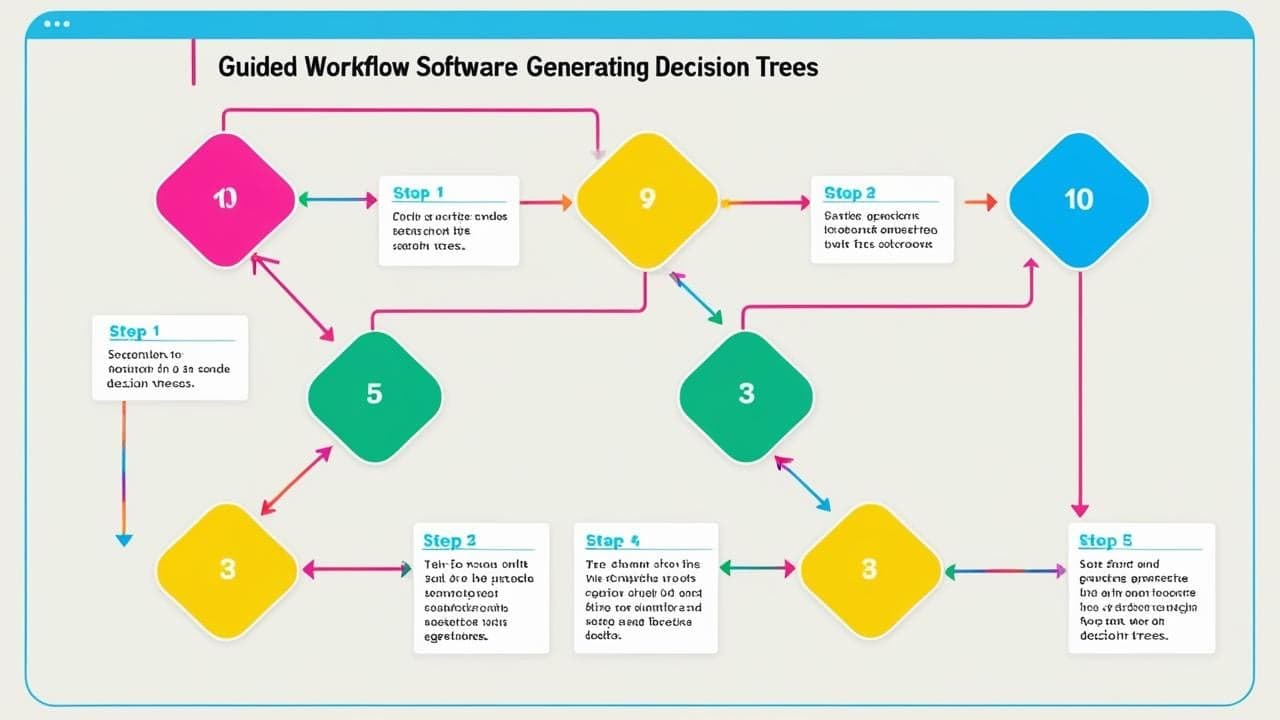
Business users don’t need technical expertise to create workflows with modern automation software. The best workflow automation tools use intuitive interfaces that make automating processes as simple as creating a flowchart.
Step-by-Step Implementation:
-
Identify Target Processes: Start with repetitive tasks that consume significant time
-
Map Current Process Flow: Document existing steps and decision points
-
Design Automated Workflow: Create automated workflows using drag-and-drop tools
-
Test and Refine: Validate process outcomes before full deployment
-
Monitor Performance: Track key performance indicators and make adjustments### Best Practices for Success:
-
Use workflow automation for processes with clear, repeatable steps
-
Customize workflows based on actual user needs, not theoretical ideals
-
Ensure seamless integration with existing systems
-
Train teams on how the automation process improves their daily work
-
Regularly review performance metrics to identify optimization opportunities## Examples of Workflow Automation Across Industries
Examples of workflow automation vary by industry, but the principles remain consistent:
Contact Centers and Customer Service
-
Service requests routing and escalation
-
Customer onboarding process automation
-
Quality assurance and compliance workflows
-
Knowledge management integration### Human Resources
-
Employee onboarding and offboarding
-
Expense approvals and reimbursement processing
-
Performance review scheduling and tracking
-
Benefits enrollment and changes### Sales and Marketing
-
Lead qualification and sales process automation
-
Managing paid campaigns with automated optimization
-
Customer follow-up sequences
-
Proposal generation and approval process### Finance and Operations
-
Invoice processing and expense approvals
-
Procurement process automation
-
Financial reporting and compliance
-
Vendor management workflows

Measuring Success: Key Performance Indicators
Workflow automation success should be measured through concrete performance metrics:
- Process efficiency improvements (typically 30-50% time savings)
- Human error reduction (often 70-90% decrease in mistakes)
- Customer satisfaction increases due to faster, more consistent service
- Employee productivity gains from eliminating tedious tasks
- Cost savings from reduced manual intervention## The Future of Process Automation Workflows
As machine learning and artificial intelligence continue advancing, workflow automation solutions are becoming more sophisticated. Future developments include:
- Predictive analytics that anticipate process bottlenecks
- Natural language processing for automated notifications and communication
- Advanced robotic process automation integration
- Self-optimizing workflows that improve process efficiency automatically## Choosing the Right Workflow Automation Solution
When evaluating workflow automation software, consider these critical factors:
Ease of Use
-
Can business users create workflows without IT support?
-
Does the workflow automation tool offer intuitive design interfaces?
-
How quickly can teams learn to customize workflows?### Integration Capabilities
-
Does it offer seamless integration with existing systems?
-
Can it automate tasks across multiple platforms?
-
What APIs and connectors are available?### Scalability and Flexibility
-
Can the solution handle more complex workflows as you grow?
-
Does it support custom workflows for unique business needs?
-
How easily can you modify automated processes?### Support and Training
-
What resources help teams understand workflow automation?
-
Are there templates for common business processes?
-
Does the vendor provide ongoing optimization support?## Conclusion
Process automation workflows represent a fundamental shift in how modern businesses operate. By automating processes and replacing manual tasks with intelligent automated workflows, organizations create more efficient, accurate, and scalable operations.
The benefits of workflow automation extend far beyond simple time savings. When you use workflow automation strategically, you’re building a foundation for sustainable growth that maintains quality while reducing costs and improving customer satisfaction.
Workflow automation software has evolved to the point where business users can create automated workflows without technical expertise. The key is choosing a workflow automation solution that grows with your business and integrates seamlessly with your existing systems.
Ready to transform your business operations? Start with one high-impact workflow process, measure the results, and expand from there. The automation process doesn’t have to be overwhelming—it just needs to be strategic.
FAQ
Q: What’s the difference between workflow automation and robotic process automation? A: Workflow automation focuses on guiding human workers through business processes with intelligent decision trees and task management. Robotic process automation (RPA) uses software bots to perform repetitive tasks without human intervention. Many modern workflow automation solutions combine both approaches for maximum process efficiency.
Q: How long does it take to see results from workflow automation implementation? A: Most businesses see immediate improvements in process efficiency within 2-4 weeks of implementing their first automated workflows. Performance metrics typically show 20-30% time savings in the first month, with process improvements continuing as teams become more comfortable with the automation process.
Q: Can workflow automation software integrate with existing business systems? A: Yes! Modern workflow automation tools offer seamless integration with popular CRM, helpdesk, and business process management systems. This enables businesses to automate tasks across multiple platforms while maintaining data consistency and eliminating manual data entry.
Q: Do I need technical skills to create automated workflows? A: No! Today’s workflow automation software is designed for business users with drag-and-drop interfaces and pre-built templates. You can create workflows and customize workflows using visual tools that feel familiar to anyone who’s used presentation software. Automating processes has become accessible to non-technical teams.
Q: What types of business processes benefit most from workflow automation? A: Workflow automationworks best for repetitive tasks, administrative tasks, and processes with clear decision points. Common examples of workflow automation include employee onboarding, service requests handling, expense approvals, and invoice processing. Any business process with defined business rules and multiple steps is a good candidate for automation.
Nola Neven
AuthorNola Neven is a content strategist in the CX space, focused on turning complex operational problems into clear, credible content that people actually read, reference, and share. Her work sits where content and operations meet. She spends her time understanding how contact centers and help desks really function day to day, where workflows break down, where teams rely on workarounds, and where systems quietly slow everything down.